Nintendo Switch 2 Dock: The Ultimate Buyer’s Guide to Features,
Hey there, fellow gamers! The Nintendo Switch 2 has been out for a few months now, and one of the things everyone keeps talking about is the new dock. If you’ve just picked up the console or you’re thinking about it, you probably have questions like: Does the dock really make a big difference? Can it push 4K? Is it worth buying separately?
In this complete guide, we’ll walk through everything you need to know about the Nintendo Switch 2 dock—from its size and ports to how it performs on your TV. I’ve spent plenty of time with mine, and I’ll share the real-world details so you can decide if it’s right for you.
Read More : Nintendo Switch Not Turning On? Quick Fixes to Get Back to Gaming Fast
What’s New in the Nintendo Switch 2 Dock?
The original Switch dock was simple: it charged the console and sent picture to your TV. The Switch 2 dock does all that, but better. Nintendo added a few smart upgrades that fix the biggest complaints people had with the first one—like wobbly connections, overheating worries, and spotty online play.
The new dock is a little bigger, but it feels sturdier. It has a built-in fan, faster wired internet, and proper HDMI 2.1 support. The result? Smoother gameplay on the big screen and fewer lag spikes when you’re racing friends online.
Design and Size: Bigger, But for Good Reason
Let’s start with how it looks and feels.
The Nintendo Switch 2 dock measures about 115mm tall (4.5 inches), 201mm wide (7.9 inches), and 51.2mm deep (2 inches). It weighs 383 grams (0.84 pounds)—a bit heavier than the old dock, but the extra space makes room for the cooling fan and better wiring inside.
The corners are rounded, so it’s kinder on your fingers and table. There’s a removable cover at the back that hides the cables for a cleaner look. The console slides in smoothly, and little rubber feet keep everything steady.
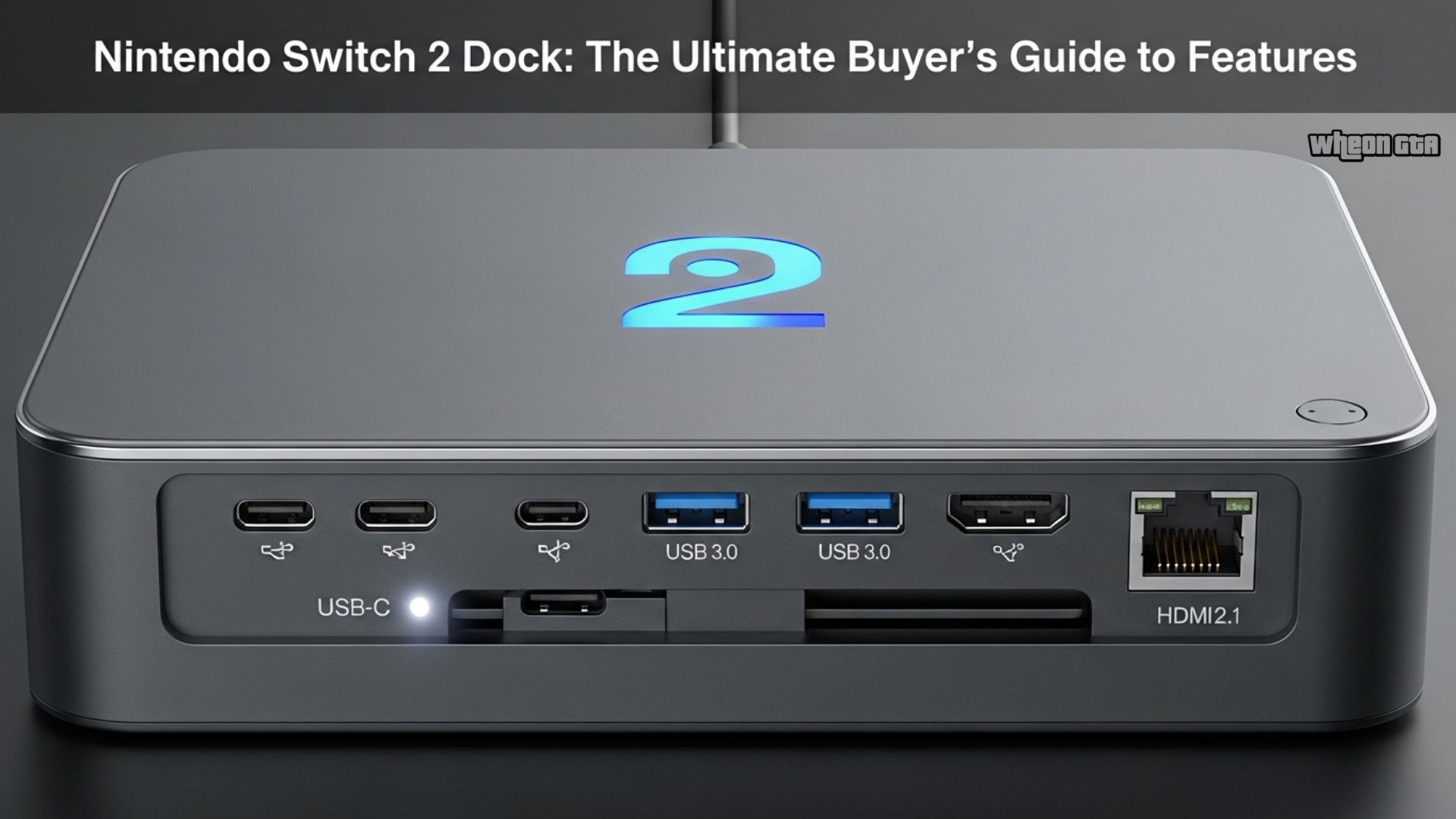
Ports and Connections
Here’s what you get on the dock:
- 2 × USB 2.0 ports (on the side—great for charging controllers or connecting a keyboard)
- HDMI 2.1 port (supports the fancy video features we’ll talk about next)
- Gigabit Ethernet (LAN) port (up to 1000 Mbps for rock-solid online gaming)
- AC adapter port
- Proprietary system connector for the console itself
Having wired internet built in is a game-changer if your Wi-Fi is unreliable. I’ve noticed way less lag in Splatoon 3 matches when I plug in the Ethernet cable.
Video Output: 4K, 120Hz, and More
This is the part most people get excited about.
The Nintendo Switch 2 dock can output:
- Up to 4K (3840×2160) at 60 fps with HDR10 support
- 1080p or 1440p at up to 120 fps
- Possible variable refresh rate (VRR) to reduce screen tearing
Important note: the console doesn’t always render games natively at 4K—it uses clever upscaling. But the picture still looks sharper and brighter than the original Switch, especially on larger TVs.
Games like The Legend of Zelda: Tears of the Kingdom (backward compatible) and new titles like Mario Kart World look fantastic docked. Colors pop with HDR, and fast action feels smoother at higher refresh rates.
Built-in Cooling Fan: Does It Actually Help?
Yes, there’s a small fan inside the dock that spins up when things get warm. It mainly cools the dock’s own electronics, not the console directly—the Switch 2 has its own cooling system.
In long play sessions (four-plus hours), the dock stays cool to the touch. The fan is quiet—you’ll barely hear it over the game audio. It’s a nice peace-of-mind feature compared to the old dock, which could get pretty toasty.
Charging and Power
The dock needs a 20V power supply to activate full docked mode. It charges the console at up to 15W through USB-C, which takes around three hours from empty while in sleep mode.
If you’re playing while docked, the battery stays topped up no problem. Just make sure you use the official adapter—third-party ones sometimes don’t trigger docked mode properly.
Compatibility: What Works and What Doesn’t
Good news: all your original Switch games run perfectly on the Switch 2 in the new dock. Joy-Cons, Pro Controllers, and most accessories work too.
Bad news: the original Switch dock won’t work with the Switch 2 because of different power requirements and connection protocol. Nintendo went proprietary again to avoid the bricking issues some cheap third-party docks caused years ago.
Third-Party Docks: Are They Safe?
Some companies like JSAUX and Genki make Switch 2-compatible docks. They’re often smaller and cheaper, with extras like more USB ports or foldable designs.
Results are mixed. A few firmware updates in late 2025 disabled some models temporarily. If you go third-party, stick to well-reviewed ones and be ready to test carefully. For most people, the official dock is the safest bet.
Pricing and What’s in the Box
The standalone Nintendo Switch 2 Dock Set costs $124.99 and includes:
- The dock itself
- Official AC adapter
- USB-C charging cable
- High-speed HDMI cable
Many bundles (like Switch 2 + Mario Kart) already include the dock, so check before buying extra.
Quick Specs Table
| Category | Details |
|---|---|
| Dimensions | 115mm × 201mm × 51.2mm (4.5 × 7.9 × 2 inches) |
| Weight | 383g (0.84 lbs) |
| Ports | 2× USB 2.0, HDMI 2.1, Gigabit Ethernet, AC adapter, system connector |
| Video Output | 4K@60Hz HDR10, 1080p/1440p@120Hz, possible VRR |
| Cooling | Built-in automatic fan |
| Charging | Up to 15W USB-C (≈3 hours full charge in sleep mode) |
| Price (Dock Set) | $124.99 |
Pros and Cons of the Nintendo Switch 2 Dock
Pros:
- Excellent picture quality with 4K and HDR
- Stable wired internet connection
- Quiet built-in cooling
- Clean, sturdy design
- Full backward compatibility with Switch games
Cons:
- Bigger and heavier than the original
- Proprietary design limits third-party options
- Separate purchase if your bundle doesn’t include it
Final Thoughts
The Nintendo Switch 2 dock is a clear step up from the original. It turns your handheld into a proper home console with sharper graphics, smoother performance, and more reliable online play. If you plan to play on a TV often—especially a 4K one—this dock delivers.
For casual handheld players, the upgrades are nice but not essential. But for anyone who loves couch co-op, movie-like visuals, or competitive online games, the new dock makes the whole Switch 2 experience feel complete. It’s not revolutionary, but it’s exactly the kind of thoughtful improvement Nintendo fans expect.
Happy gaming!
FAQ
Q: Does the Nintendo Switch 2 dock support 4K gaming?
A: Yes, it outputs up to 4K at 60 fps with HDR10. Games use upscaling rather than native 4K rendering, but the image is noticeably sharper and more vibrant on compatible TVs than the original Switch dock.
Q: What ports are on the Nintendo Switch 2 dock?
A: It has two side USB 2.0 ports, HDMI 2.1, Gigabit Ethernet (LAN), AC adapter input, and the proprietary console connector. The rear ports hide behind a removable cover for a tidy setup.
Q: Is the Nintendo Switch 2 dock compatible with the original Switch?
A: No, the new dock is designed only for the Switch 2 due to different power and connection requirements. The original Switch dock also won’t work with the Switch 2 console.
Q: Does the Nintendo Switch 2 dock have a cooling fan?
A: Yes, it includes a quiet built-in fan that automatically adjusts speed to keep the dock cool during long sessions. It mainly cools the dock itself rather than directly blowing on the console.
Q: How much does the Nintendo Switch 2 dock cost?
A: The official Dock Set retails for $124.99 and includes the dock, AC adapter, USB-C cable, and high-speed HDMI cable. Many console bundles already come with it included.